Castora Studio
- Built with
- Rust
- RAM at idle
- ~50 MB
Idle, without active sources. Memory use varies with your setup.
Your streaming studio.
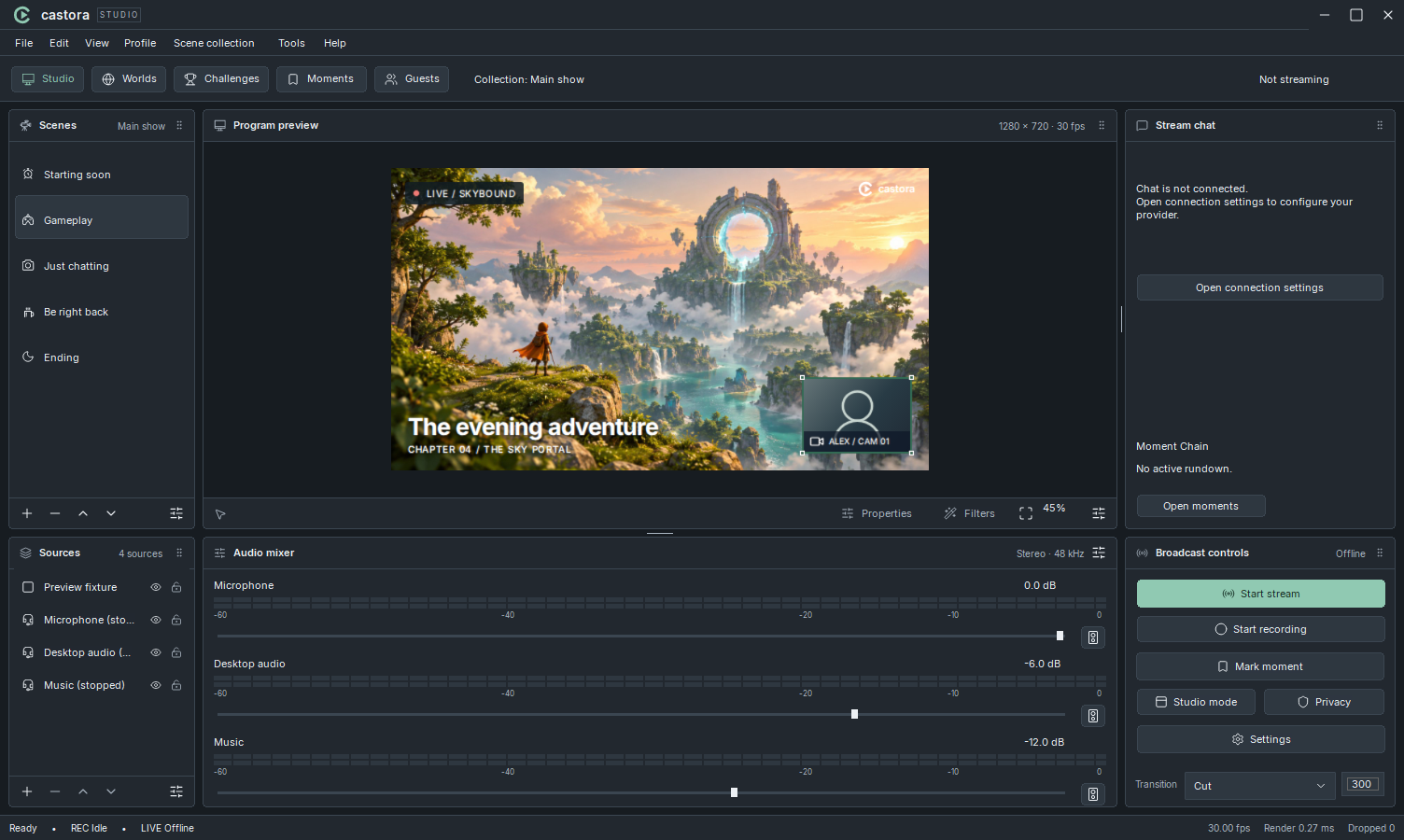
Castora brings your screen, camera, sound, and guests into one Windows app. Build your scenes, mix your audio, and stream or record from a workspace you can make your own.
A few answers.
Explore the docsHow do I install Castora?
Castora 1.0.0 is available now for Windows. Download the installer, open Castora-Setup.exe, and choose your install location and shortcuts.
Which computers does it support?
Castora is being built for 64-bit Windows 11. Mac and Linux versions aren’t available yet.
How much memory does Castora use?
The Castora desktop app is built with Rust and uses around 50 MB of RAM when idle without active sources. Memory use varies with your scenes, sources, guests, and streaming or recording settings.
Can guests join from their browser?
Yes. With your guest service set up, send an invitation link and preview your guest backstage before bringing them on air. They don’t need to install Castora. Read the guest guide.
Can I change the look and layout?
Choose dark or light mode, switch between a scene rail and classic docks, and resize your panels in Settings. Make it your own.
What is Castora Premium?
Premium is planned for later. Features and pricing will be shared on the Premium page; purchasing isn’t available yet.
A home for
your next show.
Your scenes, your sound, your studio. Download Castora and make it yours.
Castora Studio
For 64-bit Windows 11.
Download for WindowsOpen Castora-Setup.exe, then choose your install location and shortcuts.
Make your first scene.
Set up your workspace, learn how sources fit together, and plan your first recording.
Read the getting started guideExplore scenes and sourcesFind setup helpCapture and encoder availability depend on your hardware, drivers, and the modules included in the release.
A little guidance.
A lot of possibilities.
Castora Premium.
Something extra for your studio.
We’ll share the details when it’s ready.
 castoraPremium
More to come.
Features and pricing will be announced here.
Purchasing isn’t available yet.
404
A little off scene.
We couldn’t find that page. Let’s get you back to the studio.
Back to Castora